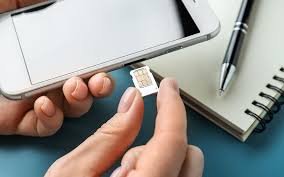
Have you ever desperately searched for a tiny paperclip just to pop open your phone’s SIM tray? We have all been there. Traditional plastic SIM cards have powered our mobile connections for decades, but they are quickly becoming a thing of the past. Enter the eSIM—a digital evolution that eliminates the need for physical cards entirely.
Upgrading your mobile connection no longer requires waiting for a plastic card to arrive in the mail or visiting a busy store. With an eSIM, you simply scan a code and connect to your network in minutes. Globe Telecom fully embraces this digital shift, offering seamless eSIM integration for both prepaid and postpaid subscribers.
This comprehensive guide will walk you through exactly how Globe supports this groundbreaking technology. You will learn the fundamental differences between digital and physical SIMs, how to check if your current smartphone is compatible, and the exact steps to activate a Globe eSIM. We will also explore the massive benefits of making the switch, setting you up for a truly modern mobile experience.
What is eSIM Technology?
The term “eSIM” stands for embedded Subscriber Identity Module. Unlike the small plastic chips you are used to handling, an eSIM consists of a tiny microchip permanently soldered directly onto your smartphone’s motherboard. You cannot remove it, drop it, or lose it.
Instead of reading data from a physical card, your phone downloads a digital profile directly from your network provider. This digital profile contains all the exact same information as a regular SIM card. It holds your unique mobile number, your network authentication details, and your specific plan information.
How eSIM Differs from Traditional SIM Cards
The most obvious difference lies in the physical hardware. Traditional SIM cards require a dedicated slot inside your device. This slot takes up valuable internal space that smartphone manufacturers could otherwise use for larger batteries or better camera sensors.
Furthermore, traditional SIM cards restrict you to one physical chip per slot. If you want to change your mobile number or switch to a different network while traveling, you must physically eject the old card and insert a new one. This process risks damaging the delicate gold contacts on the card or losing the chip entirely.
An eSIM completely digitizes this process. You can store multiple digital SIM profiles on a single device simultaneously. Switching between your primary number and a travel number takes only a few taps in your phone’s settings menu.
Globe’s Support for eSIM Technology
Globe Telecom stands at the forefront of digital connectivity in the Philippines. They actively support eSIM technology across both their prepaid and postpaid services. This commitment ensures that millions of subscribers can easily transition away from plastic SIM cards.
Globe provides a highly streamlined process for acquiring a digital profile. You receive a unique QR code either digitally through your email or physically printed on a voucher. Scanning this code prompts your phone to automatically download and install your Globe profile.
Compatible Devices for Globe eSIM
Before you decide to make the switch, you must verify that your smartphone actually features an embedded SIM chip. Because this technology requires specific internal hardware, older smartphones and budget-tier devices usually only support physical cards.
Apple heavily champions eSIM technology. If you own an iPhone XS, iPhone XR, or any newer model (including the iPhone 11, 12, 13, 14, and 15 series), your device is fully eSIM-ready. The latest iPad Pro and iPad Air models with cellular capabilities also support the feature.
For Android users, flagship devices generally offer full support. Samsung includes eSIM hardware in their Galaxy S20 series and all subsequent S-series releases. The Samsung Galaxy Z Fold and Z Flip series also support digital profiles. Google Pixel phones, starting from the Pixel 3, feature robust eSIM capabilities as well.
The Core Benefits of Switching to an eSIM
Moving away from a physical card provides much more than just a minor convenience. Upgrading to a Globe eSIM unlocks several powerful advantages that fundamentally improve how you use your smartphone.
Unlocking Dual SIM Functionality
Many premium smartphones only feature a single physical SIM tray. By downloading a Globe eSIM, you instantly unlock dual SIM functionality on these devices. This allows you to keep one physical card and one digital profile active at the exact same time.
Dual SIM functionality completely changes how you manage your communications. You can dedicate your physical SIM slot to your personal number while using your eSIM for business contacts. When you travel internationally, you can keep your Globe eSIM active for important messages while purchasing a temporary local physical SIM for cheap mobile data.
Environmental Advantages
The telecommunications industry produces massive amounts of plastic waste every single year. Every physical SIM card requires a larger plastic frame, paper packaging, and physical shipping materials. Most of this plastic eventually ends up in landfills.
Switching to a digital profile drastically reduces this environmental impact. Because the entire delivery process happens digitally over the internet, an eSIM generates zero plastic waste. By choosing a Globe eSIM, you actively participate in reducing the carbon footprint associated with manufacturing and shipping physical goods.
Better Security and Convenience
Physical SIM cards pose a significant security risk if someone steals your phone. A thief can quickly eject your physical card, insert it into another device, and bypass your two-factor authentication prompts to access your bank accounts.
An eSIM eliminates this vulnerability completely. Because the chip is soldered to the motherboard, a thief cannot remove your mobile number from the stolen device. If you secure your phone with a strong passcode, bad actors cannot access your digital profile. You can also contact Globe immediately to wipe the digital profile remotely, keeping your sensitive accounts perfectly safe.
How to Switch from a Physical Globe SIM to an eSIM
Transitioning to a digital profile takes only a few minutes. Whether you want to convert your existing postpaid line or purchase a brand new prepaid number, the activation process remains highly user-friendly.
Step 1: Verify Your Device Compatibility
First, you must absolutely confirm that your device supports the technology. You can do this by checking your phone’s network settings.
For Apple devices, navigate to Settings, tap on Cellular, and look for a button that says Add eSIM or Add Cellular Plan. For Android devices, open Settings, select Connections or Network & Internet, tap on SIM Manager, and look for an Add eSIM option. If you see these options, your phone is ready.
Step 2: Acquire Your Globe eSIM
If you want a brand new prepaid number, the fastest method involves the official GlobeOne app. Download the app, look for the option to purchase a new eSIM, and complete the digital payment. Globe will immediately email you a unique QR code.
If you currently use a physical postpaid Globe SIM and want to convert your existing number to an eSIM, you need to request a replacement. You can initiate this request through the GlobeOne app or by visiting your nearest physical Globe Store. A customer service representative will process the conversion and provide your new activation code.
Step 3: Scan the QR Code and Activate
Once you receive your QR code, connect your smartphone to a stable Wi-Fi network. Your phone requires an internet connection to download the digital profile from Globe’s servers.
Open your phone’s cellular settings and tap the Add eSIM button. Your camera will open. Point the camera at the QR code displayed on your computer screen or printed voucher. Your phone will immediately recognize the Globe network. Follow the simple on-screen prompts to label the new line (such as “Personal” or “Business”) and finalize the installation.
Step 4: Register Your New SIM
The Philippine government requires all mobile subscribers to register their numbers. If you purchased a brand new prepaid eSIM, you must complete this step before you can use the network.
Visit the official Globe SIM Registration portal using your web browser. Enter your new mobile number, upload a clear photo of your government-issued ID, and take a quick selfie for verification. Once the system approves your registration, your new digital profile will activate immediately.
Upgrade Your Connectivity Today
The transition from physical plastic chips to embedded digital profiles represents a massive leap forward in mobile technology. By ditching the physical card, you unlock greater security, eliminate plastic waste, and gain the ultimate flexibility of dual SIM functionality.
Globe Telecom makes this upgrade incredibly simple and accessible. You do not need technical expertise to make the switch. Simply check your device settings, secure your QR code, and scan your way to a superior network experience.
Do not let outdated hardware limit how you connect with the world. Explore the official GlobeOne app or visit a Globe Store today to discover their latest eSIM options. Make the switch to a digital profile and experience the flexible, modern mobile connectivity you truly deserve.